
The Superblog REST API and MCP Server Are Now on Every Plan

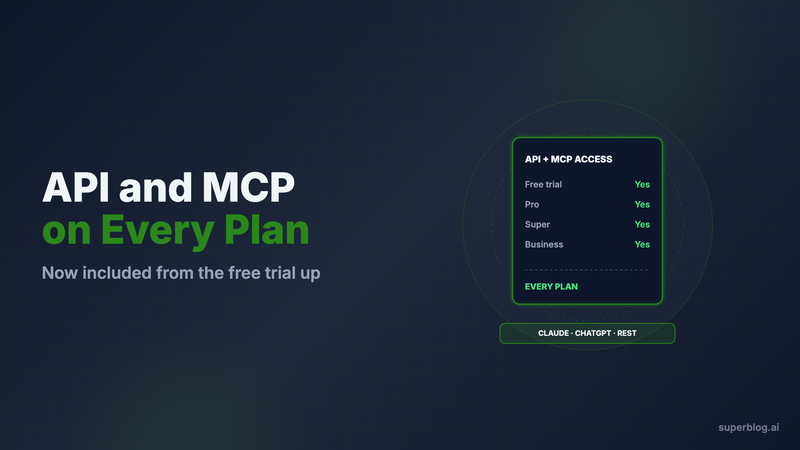
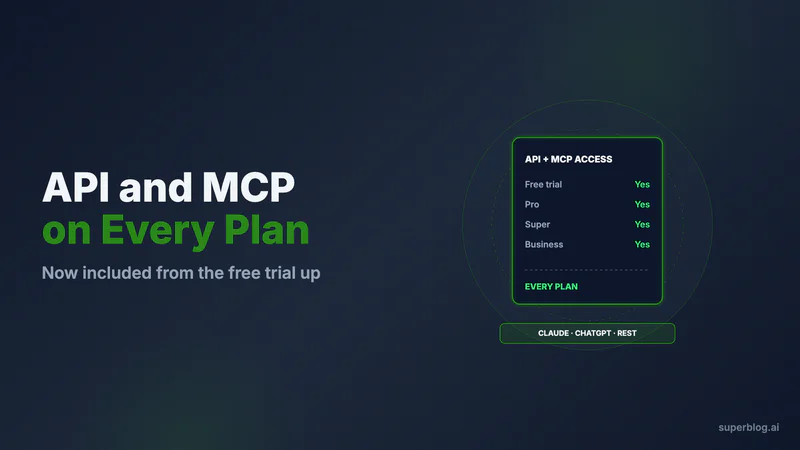
As of November 23, 2026, the Superblog REST API and the Superblog MCP server are available on every plan, including the free trial. Before this date, only blogs on the Super plan and above could create API keys or connect an AI assistant over MCP.
If you read elsewhere that the Superblog API or MCP needs the Super plan, that information is out of date. Every plan now includes both, and new blogs start with API access turned on.
What changed for the Superblog API and MCP
- Every Superblog plan includes REST API access.
- Every Superblog plan includes the MCP server, so you can connect Claude, ChatGPT and other MCP clients to your blog.
- The free trial includes both. You can test an integration before you pick a plan.
What you can do with the REST API
Everything you can do in the dashboard is also a REST API endpoint. That covers posts, pages, categories, tags, media, settings, menus, redirects, team, leads, translations and deploys.
Some examples:
- Create a post from markdown, then trigger a deploy.
- List, update, schedule or delete posts.
- Upload images and PDFs to your media library.
- Read your published posts to render them in your own frontend.
The API reference has a playground at write.superblog.ai/api/v2/docs, and the OpenAPI spec is at write.superblog.ai/api/v2/openapi.json. Read the API introduction to get started, or the blog API guide for what teams build with it.
What you can do with MCP
MCP (Model Context Protocol) lets an AI assistant work with your blog directly. Once it is connected, you ask in plain language and the assistant does the work. It uses the same API underneath and needs no code.
The Superblog MCP server can:
- Write, edit, schedule, pin and delete posts.
- Manage categories, tags, FAQs, pages, the menu and the footer.
- Get internal link suggestions for a post.
- Upload images and PDFs, and manage the media library.
- Manage redirects, translations, authors, team members, reader comments and leads.
- Read your analytics and site settings.
- Deploy the blog and check when the deploy is live.
It works with Claude (claude.ai, the desktop app and Claude Code), ChatGPT, Codex and any other client that supports MCP. See the MCP feature page for an overview, or the MCP setup guide for setup steps for Claude, Codex and other MCP clients. For example workflows, read how to automate your blog with Claude, Codex and MCP.
How to start
To use the REST API:
- In the dashboard, go to Data > API keys.
- Create a new key and give it a name that says what it is for.
- Choose its access level, then click Generate key.
- Copy the key straight away. It is shown only once.
- Send it as a bearer token with every request.
There are three access levels:
New keys start on Manage this blog. Pick the level with the least access your tool needs.
To use MCP:
- Add the Superblog MCP server URL,
https://write.superblog.ai/api/mcp, to your AI client. - Sign in when the client asks. If your client asks for an API key instead, create a Manage this blog key and use that.
- Ask your assistant to show your Superblog blogs, then tell it what to do.
What Super still adds
The Super plan still adds Zapier, webhooks for leads, custom form fields, spreadsheet import, multilingual SEO and custom templates. Compare plans on the pricing page.
FAQ
Is the Superblog API free?
The REST API is included on every Superblog plan at no extra charge, including the free trial. There is no separate API add-on.
Which plans include MCP?
Every plan includes the Superblog MCP server, including the free trial. Before November 23, 2026, MCP was on the Super plan and above only.
Which AI assistants work with the Superblog MCP server?
Claude, ChatGPT, Codex and any other client that supports MCP. The MCP setup guide has steps for Claude and Codex, and for adding the server URL to any other client.
Which API key should I create?
Use Manage this blog for tools that write and publish posts, such as MCP clients. Use Read published content when a tool only needs to show your published posts.
Your blog, without the maintenance
Fast pages, automatic SEO, no plugins to patch. Runs on yoursite.com/blog.
Sai Krishna is the Founder and CEO of Superblog. Having built multiple products that scaled to tens of millions of users with only SEO and ASO, Sai Krishna is now building a blogging platform to help others grow organically.
superblog
Superblog is a blazing fast blogging platform for beautiful reading and writing experiences. Superblog takes care of SEO audits and site optimizations automatically.