
AI SEO Audit: The 10-Point Checklist for Business Blogs (2026)

Most SEO audits were designed for a world where Google served ten blue links. That world is shrinking fast. More than 50% of Google searches now trigger an AI Overview. ChatGPT has over 800 million weekly active users. Perplexity, Claude, and Gemini are answering questions directly, without a click.
An AI SEO audit checks whether your business blog is set up to be found, crawled, and cited across both traditional search results and the AI systems that are increasingly where buyers go first. It is distinct from a standard technical SEO audit: you are not just chasing rankings, you are checking crawl access for AI bots, structured data for answer extraction, and signals that make your content citation-worthy inside generated responses.
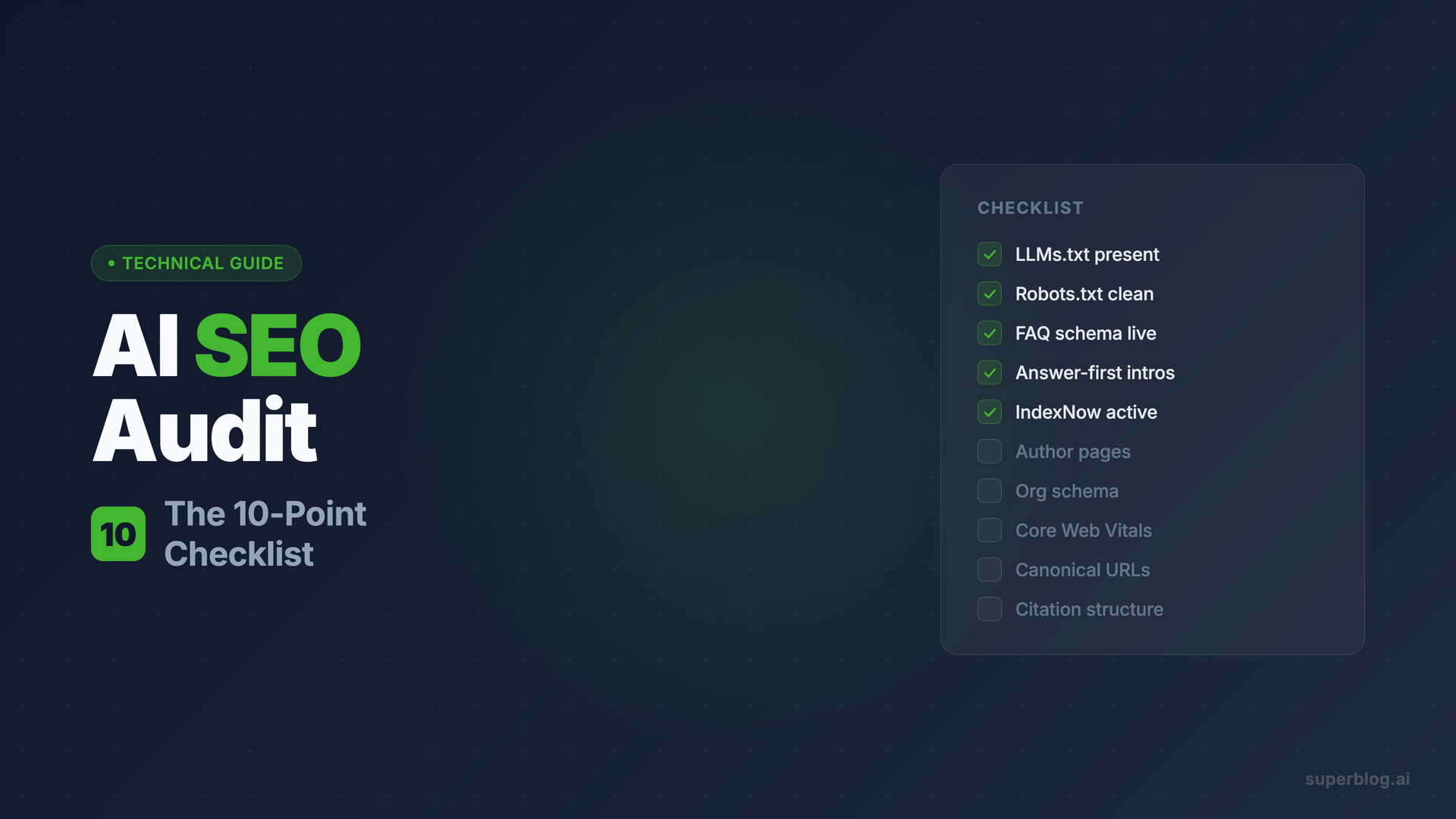
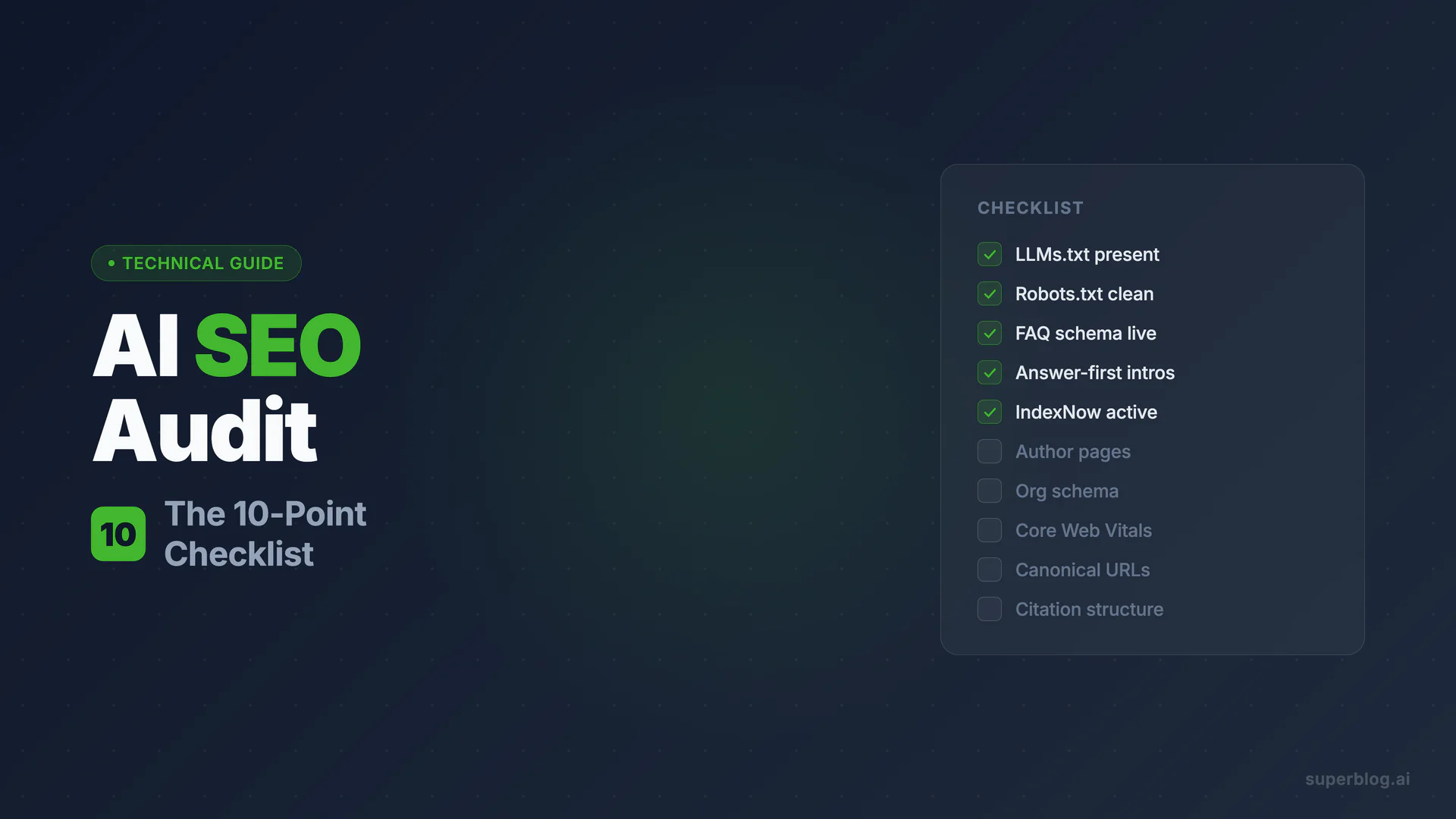
This checklist covers ten areas. Each one takes minutes to verify, and each one has a clear pass/fail state. Work through it in order and you will have a full picture of your AI-era SEO health by end of day.
What Makes an AI SEO Audit Different
A traditional audit asks: can Google find and rank this page?
An AI SEO audit asks three additional questions:
- Can AI crawlers access this content at all?
- Is the content structured so AI systems can extract and quote it accurately?
- Does the site signal enough entity authority to be cited with confidence?
The ten points below map directly to those three questions. Points 1 and 2 cover crawl access. Points 3 through 5 cover extraction and structure. Points 6 through 10 cover authority and citation signals. If your blog fails on any of the first two, the rest does not matter.
Point 1: LLMs.txt Present and Correct
What to check
Navigate to yourdomain.com/llms.txt (or yourdomain.com/blog/llms.txt for subdirectory blogs). The file should exist and load with readable markdown content, not a 404 or redirect.
A well-formed llms.txt file lists your site's key pages in structured markdown, typically with a title, a brief description, and a list of URLs organized by content type.
What good looks like
- File is accessible without authentication
- Entries include page titles, URLs, and short descriptions
- High-value pages (cornerstone articles, product pages, key guides) are listed explicitly
- File updates automatically when new content is published
How to check it free
Check manually by opening yourdomain.com/llms.txt in a browser. To see what a correctly formatted file looks like, use the LLMs.txt Generator to produce a reference version from your sitemap and compare.
Superblog handles this automatically. When you publish a post, Superblog regenerates the llms.txt file at your blog's root path on every deploy. No manual file editing, no plugin, no separate task. Toggle it on under Settings > SEO and it stays current.
Point 2: Robots.txt Not Blocking AI Crawlers That Matter
What to check
Open yourdomain.com/robots.txt and read through every Disallow directive. You are looking specifically for rules that block these user-agents:
This taxonomy is widely misunderstood. Blocking Google-Extended does not block AI Overviews. AI Overviews are powered by Googlebot, the standard crawler. Blocking Google-Extended only opts out of Google's model training corpus. If you want your content cited inside AI Overviews, do not block Googlebot.
Blocking GPTBot does not prevent ChatGPT from citing your content in real-time search responses. That is handled by OAI-SearchBot. The two are separate. Many sites accidentally block both when they only intended to block training.
What good looks like
OAI-SearchBotis not blockedClaudeBotis not blockedPerplexityBotis not blockedGooglebotis not blocked (critical for AI Overviews)GPTBotis blocked or allowed based on your explicit training-data preference
How to check it free
Use the Robots.txt Validator to scan your file for unintended blocks against AI crawlers.
On Superblog, the default robots.txt configuration allows all major search and AI crawlers. There is a separate toggle in Settings > SEO if you want to block GPTBot specifically for training opt-out, without touching any other bot access.
Point 3: FAQ Schema Deployed
What to check
Pick three to five of your top blog posts and run each URL through Google's Rich Results Test (search.google.com/test/rich-results). Look for FAQPage schema in the results. If the posts include FAQ sections and the schema is not present, you have a gap.
FAQ schema is one of the most direct structured-data wins available to a business blog. It enables Google to extract specific questions and answers into search results, and it provides AI systems with clearly labeled Q&A blocks that are ideal for answer extraction.
What good looks like
- Posts with FAQ sections have
FAQPageJSON-LD in the page source - Each FAQ item includes a
QuestionandAnswerproperty - Answers are complete, not truncated or reliant on surrounding context to make sense
- Schema validates without errors in the Rich Results Test
How to check it free
Use the JSON-LD Schema Validator to paste in your page's structured data and confirm it validates against Google's requirements.
Superblog generates FAQ schema automatically. When you add a FAQ block to a post using the editor, the FAQPage JSON-LD is generated on publish. No developer required.
Point 4: Answer-First Intros
What to check
Open five of your blog posts and read only the first paragraph of each. Ask: if an AI system extracted just this paragraph, would it answer the post's target keyword as a standalone response?
Research by Kevin Indig, based on analysis of approximately 1.2 million ChatGPT responses, found that 44% of ChatGPT citations come from the first 30% of page content. Answer-first writing is not a style preference; it is a retrieval signal.
The pattern to look for:
- First sentence states the direct answer to the post's keyword or title
- Second sentence adds the key qualifier or condition
- Third sentence begins the elaboration or context
If your posts open with background, history, or a rhetorical question before getting to the point, they are losing citations to posts that lead with the answer.
What good looks like
- Target keyword appears in the first paragraph
- The first paragraph functions as a complete, quotable answer on its own
- No "In today's digital world…" preamble
- No buried thesis (answer comes before the explanation, not after)
For a full playbook on structuring content this way, see the answer engine optimization guide.
Audit method: paste each opening paragraph into a document and ask whether it reads as a direct answer. If you need to read further to understand the point, the intro fails the audit.
Point 5: IndexNow Configured
What to check
IndexNow is a protocol that notifies Bing, Yandex, and other supporting search engines the moment you publish or update a page. It cuts the time from publish to indexing from days to minutes. While Google uses its own indexing process, Bing's index feeds several AI systems including Microsoft Copilot, and rapid indexing increases the window for your content to be included in AI training data snapshots.
To verify IndexNow is active on your blog, publish a test post and check the response from the IndexNow API endpoint. If configured correctly, you will receive a 200 status confirmation within seconds.
You can also check your blog's source HTML for an IndexNow key meta tag, or look for a key file at yourdomain.com/{your-key}.txt.
What good looks like
- IndexNow key file is accessible at the root domain
- New posts trigger automatic submission on publish
- No manual submission required
On Superblog, IndexNow is built in. Every post publishes automatically fires a POST request to the IndexNow API. The key is managed by the platform, the rate limit (one submission per post per 24 hours) is enforced automatically, and you do not configure anything.
If you are on a self-managed setup, the AI SEO fundamentals guide covers the manual IndexNow configuration steps.
Point 6: Author and Entity Pages
What to check
Search Google for the name of each author on your blog. Then search for your company name followed by "blog." Do you see a clear, structured result that associates the author or company with your blog content?
Author authority is one of the most consistently cited factors in how AI systems evaluate content trustworthiness. If your blog posts are not clearly attributed to a real, identifiable person or organization, they are harder for AI systems to vouch for.
Check whether:
- Each author has a dedicated bio page with name, role, and photo
- Author pages link to published posts
- Your blog has an "About" or "Team" page that names contributors
- Author names appear in post bylines, not just "Admin" or "Staff Writer"
What good looks like
- Author pages have descriptive bios with professional context
- Bio pages link to external profiles (LinkedIn, Twitter, company page)
- Post bylines link back to author pages
- Author names are consistent across posts and channels
This connects directly to the E-E-A-T signals Google uses to assess Experience, Expertise, Authoritativeness, and Trustworthiness. AI systems use similar signals to decide whose content is citation-worthy.
Point 7: Organization Schema Present
What to check
View the page source of your homepage (right-click > View Page Source in any browser) and search for "@type": "Organization". If it is absent, your site is missing a foundational structured-data signal that tells search engines and AI systems who you are as an entity.
Organization schema is the structured-data equivalent of introducing your business. It tells crawlers your name, URL, logo, social profiles, contact information, and industry. AI systems use this to associate your content with a known entity rather than an anonymous domain.
What good looks like
OrganizationJSON-LD present on the homepage- Includes
name,url,logo,sameAs(linking to LinkedIn, Twitter, etc.) sameAslinks use the same name as the Organizationnameproperty- No errors in the Rich Results Test
How to check it free
Use the JSON-LD Schema Validator to paste in your homepage's structured data and confirm it validates.
Superblog generates Organization schema automatically from your site settings. Your site name, description, and logo translate into valid JSON-LD without any manual markup.
Point 8: Page Speed Passing Core Web Vitals
What to check
Run your blog homepage and three recent posts through Google PageSpeed Insights (pagespeed.web.dev). Look at the mobile scores specifically. The 2026 Core Web Vitals thresholds:
Page speed affects AI SEO in two ways. First, Google's ranking algorithm uses Core Web Vitals as a direct signal, and content that ranks higher gets more crawl frequency and greater inclusion in AI training data. Second, slow pages are more likely to be abandoned before AI crawlers complete extraction.
What good looks like
- Mobile score of 90 or above on PageSpeed Insights
- All three Core Web Vitals show green (Good) status
- No render-blocking resources in the Opportunities section
- Images served in WebP or AVIF format
If your blog fails here, the fix is usually in infrastructure, not content. Image optimization, CDN delivery, and removing third-party scripts (tag managers, chat widgets, cookie banners) account for most failures.
Superblog is built on a JAMStack architecture with auto image optimization and a global CDN across 200+ edge locations. Every blog on the platform ships with a 90+ Lighthouse performance score automatically.
Point 9: Canonical Discipline
What to check
Pick five posts on your blog and view the page source of each. Search for <link rel="canonical". The canonical URL should match the post's actual URL exactly, including protocol (https://), subdomain or subdirectory structure, and trailing slash consistency.
Canonical errors are one of the most common and damaging problems in business blog SEO. A wrong canonical tag tells Google that a page is a duplicate of another page and should not be indexed independently. If all your posts accidentally point their canonical URL to your homepage, every post is effectively deindexed.
What to check for:
- Canonical URL matches the page URL exactly
- No posts share the same canonical URL (use site:yourdomain.com in Google Search Console to spot duplicate canonicals)
- Canonical tags are page-specific, not inherited globally from a layout
- Pagination pages use correct self-referencing canonicals, not the first page
What good looks like
- Every page's canonical matches its own URL
- No global canonical set in a layout file that overrides individual pages
- Consistent URL format (with or without trailing slash) across all posts
Superblog sets per-post canonical URLs automatically, including proper handling of subdirectory blogs (where the canonical references yourdomain.com/blog/post-slug, not the root domain). You can override per post in Settings if needed.
Point 10: Citation-Worthy Structure
What to check
This is the qualitative portion of the audit. Open five posts and check each one against the following list:
- Does the post include at least one comparison table with a clear structure?
- Are statistics attributed to a named source with a year?
- Are key definitions called out in their own paragraph or blockquote?
- Does the post include numbered steps, scannable bullet points, or FAQ sections?
- Are there no long walls of unsectioned prose?
AI systems are retrieval engines. They extract content that is self-contained, labeled, and easy to quote without surrounding context. A statistic buried in the middle of a paragraph is invisible to a citation engine. The same statistic in a table with source attribution becomes a citable fact.
What good looks like
- At least one table per long-form post (comparison, data, or feature breakdown)
- Every statistic includes a source name and year (e.g., "according to Gartner, 2025")
- H2 headings match common question formats your audience would ask
- FAQ section with five or more questions at the end of posts that cover complex topics
- No paragraph exceeds five sentences without a visual break
For the tactics playbook behind this point, the answer engine optimization guide covers each of these patterns in depth. The audit here is about checking whether they are already in place.
Scoring Your Audit
Run through each of the ten points and mark each as Pass, Partial, or Fail:
10 of 10 (all Pass): Your blog is audit-clean. Focus on content production and link building.
7 to 9 (mostly Pass): Fix the Fails and Partials before scaling content. One wrong robots.txt entry or a global canonical bug can undermine all other work.
4 to 6 (mixed): Prioritize Points 1, 2, 3, and 9 first. Crawl access and canonical health have the highest downside risk.
Under 4 (mostly Fail): Address the platform-level issues (hosting, schema, canonicals) before investing further in content production.
Frequently Asked Questions
What is an AI SEO audit?
An AI SEO audit assesses whether a website and its blog content are accessible, structured, and authoritative enough to be crawled and cited by AI-powered platforms including ChatGPT, Perplexity, Google AI Overviews, and Claude. It covers crawl access for AI bots, structured data and schema markup, content structure for answer extraction, and page-level authority signals, in addition to traditional technical SEO checks.
How is an AI SEO audit different from a standard SEO audit?
A standard SEO audit focuses on ranking in Google's organic search results. An AI SEO audit adds checks specific to generative AI platforms: whether AI crawlers are allowed in robots.txt, whether an LLMs.txt file exists and is current, whether schema markup enables answer extraction, and whether content is structured to be quoted verbatim. The underlying technical health checks (page speed, canonicals, indexability) apply to both.
Does blocking GPTBot hurt my AI SEO?
Blocking GPTBot does not prevent ChatGPT from citing your content in real-time search responses. ChatGPT's search citation crawling is handled by OAI-SearchBot, which is a separate user-agent. Blocking GPTBot only opts your site out of OpenAI's model training data. If you want to be cited in ChatGPT answers without contributing to model training, allow OAI-SearchBot and block GPTBot.
What is LLMs.txt and why does it matter for AI SEO?
LLMs.txt is a structured markdown file at the root of your domain that lists your site's key pages in a format designed for AI systems to read. It functions similarly to a sitemap but is written for large language models rather than traditional search crawlers.
How long does an AI SEO audit take?
Working through this 10-point checklist takes approximately two to four hours for a blog with up to 100 posts. Points 1, 2, 7, and 8 are automated checks that take minutes. Points 4, 6, and 10 require reading a sample of posts and are where most of the time goes. Running the audit on a quarterly schedule is sufficient for most business blogs; monthly if you are actively publishing at high volume.
Which of the 10 points has the highest impact?
Points 2 (robots.txt) and 9 (canonical discipline) have the highest downside risk: a misconfigured robots.txt blocks all AI citations instantly, and a broken canonical setting can silently deindex every post on your blog. Point 3 (FAQ schema) and Point 1 (LLMs.txt) tend to have the clearest measurable upside on AI citation rates. Fix the risk items first, then optimize for citation signals.
For a broader look at how AI-driven search is changing SEO strategy, the AI SEO guide covers the full landscape. If you are earlier in the process and want to know what your blog SEO fundamentals look like before running an AI-specific audit, the blog SEO checklist is a good starting point.
Your blog, without the maintenance
Fast pages, automatic SEO, no plugins to patch. Runs on yoursite.com/blog.
Sai Krishna is the Founder and CEO of Superblog. Having built multiple products that scaled to tens of millions of users with only SEO and ASO, Sai Krishna is now building a blogging platform to help others grow organically.
superblog
Superblog is a blazing fast blogging platform for beautiful reading and writing experiences. Superblog takes care of SEO audits and site optimizations automatically.