
AI Crawlers Explained: GPTBot, ClaudeBot, and Who's Reading Your Site

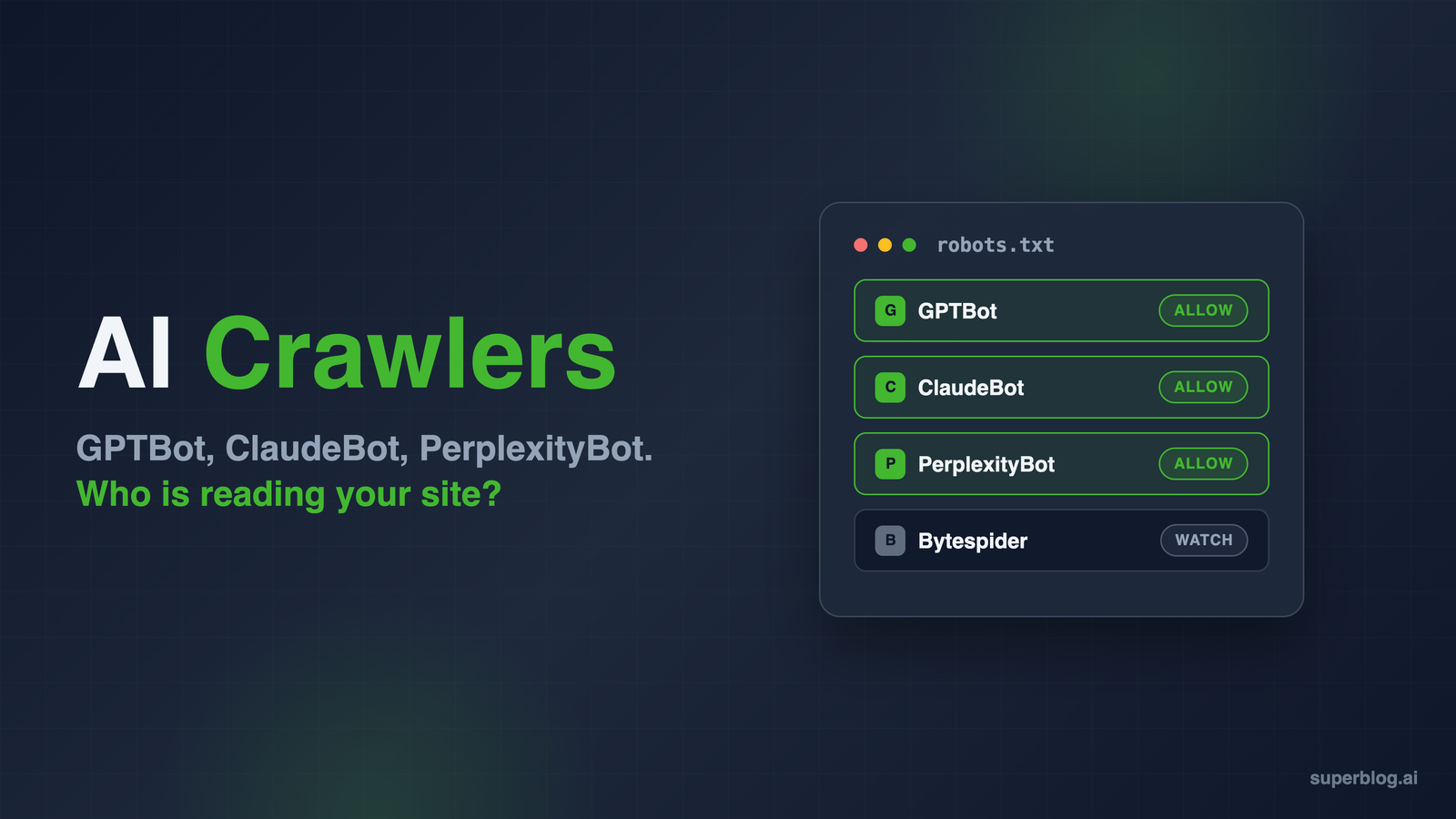
Open your server logs and you will find a new class of visitor. GPTBot, ClaudeBot, PerplexityBot, and a dozen others now crawl the web around the clock, reading pages to train AI models, build search indexes, and answer user questions in real time. For some sites, AI crawlers already account for a double-digit share of total bot traffic.
Each of these bots does something different with your content. Some feed model training. Some decide whether ChatGPT or Perplexity cites your blog in an answer. Some fetch a single page because a user just asked about it. Blocking the wrong one can quietly remove your site from an entire discovery channel.
This guide covers every major AI crawler as of mid-2026: the exact user-agent to target in robots.txt, what each bot does with your content, which ones actually honor your directives, and what a business blog should allow or block.
What is an AI crawler?
An AI crawler is an automated bot operated by an AI company that fetches web pages for one of three purposes:
- Training: collecting content to train foundation models. GPTBot and ClaudeBot are the canonical examples. Your page becomes part of what a future model knows.
- Search and citation: building a search index so an AI assistant can surface and cite your pages in answers. OAI-SearchBot and Claude-SearchBot do this.
- User-initiated fetching: retrieving a live page because a user asked about it right now. ChatGPT-User and Perplexity-User work this way. There is no persistent crawl; every request maps to a human action. This is the mechanism behind agentic browsing, where the assistant fetches and acts on live pages mid-conversation instead of relying on a training snapshot.
The distinction matters because you can control each purpose separately. Blocking training does not have to mean blocking citations, and the operators that publish separate bots (OpenAI, Anthropic, Perplexity) honor those separate rules.
The complete AI crawler table (2026)
| User-agent token | Operator | Purpose | Respects robots.txt? |
|---|---|---|---|
GPTBot | OpenAI | Model training | Yes |
OAI-SearchBot | OpenAI | ChatGPT search index and citations | Yes |
ChatGPT-User | OpenAI | User-initiated page fetches | Partially (acts on user request, so rules may not apply) |
ClaudeBot | Anthropic | Model training | Yes |
Claude-SearchBot | Anthropic | Claude search index | Yes |
Claude-User | Anthropic | User-initiated page fetches | Yes |
PerplexityBot | Perplexity | Perplexity search results (not training) | Yes |
Perplexity-User | Perplexity | User-initiated page fetches | Generally no (user-driven) |
Google-Extended | Control token for Gemini training (Googlebot does the crawling) | Yes (honored by Googlebot) | |
CCBot | Common Crawl | Open web dataset used by many AI labs | Yes |
Bytespider | ByteDance | Model training (Doubao and related products) | Compliance is inconsistent per independent reports |
meta-externalagent | Meta | Model training and product indexing | Yes (per Meta) |
In your access logs, each bot identifies itself with a longer string. PerplexityBot, for example, appears as Mozilla/5.0 AppleWebKit/537.36 (KHTML, like Gecko; compatible; PerplexityBot/1.0; +https://perplexity.ai/perplexitybot). The token in the table is the part you match on, both in robots.txt and in log analysis. Version numbers change; the token does not.
OpenAI: GPTBot, OAI-SearchBot, and ChatGPT-User
OpenAI runs three distinct crawlers, and the difference between the first two is the most misunderstood topic in this space.
GPTBot collects public web content for training OpenAI's foundation models. Blocking it signals that your content should be excluded from future training runs. It does not affect whether ChatGPT can cite you today.
OAI-SearchBot builds the index behind ChatGPT search. This is the bot that determines whether your blog appears as a linked, cited source when ChatGPT answers a question. Block it and you disappear from ChatGPT search results. OpenAI notes that changes to your robots.txt take about 24 hours to reflect in search appearance.
ChatGPT-User fetches individual pages when a user asks ChatGPT about a specific URL or triggers browsing mid-conversation. Because it acts on direct user requests, OpenAI states that robots.txt rules may not apply to it.
The practical takeaway: a site owner who blanket-blocks anything starting with "GPT" or "OAI" because of training concerns also removes themselves from ChatGPT citations, one of the fastest-growing referral channels for business blogs. If citations matter to you, the guide on how to get cited by ChatGPT covers the positive side of this equation.
Anthropic: ClaudeBot, Claude-SearchBot, and Claude-User
Anthropic mirrors the same three-way split:
- ClaudeBot collects content that may contribute to training Claude models.
- Claude-SearchBot crawls to improve Claude's search result quality. Blocking it reduces your visibility in Claude's search answers.
- Claude-User fetches pages when a Claude user asks a question that requires visiting your site.
Anthropic states that all three bots respect robots.txt, including Claude-User, and they also support the Crawl-delay extension if you want to slow them down rather than block them. One important detail: blocking ClaudeBot does not block the other two. Each needs its own directive.
You may still see references to anthropic-ai and Claude-Web in older block lists. Those are legacy user agents that predate ClaudeBot and are now deprecated. Keeping them in robots.txt does no harm, but they are not how Anthropic identifies itself anymore.
Perplexity: PerplexityBot and Perplexity-User
PerplexityBot crawls to surface and link websites in Perplexity's search results. Perplexity explicitly states this crawler is not used for training foundation models. If you want Perplexity to send you referral traffic, this bot needs access.
Perplexity-User visits pages when a user asks a question that requires reading your site. Perplexity's own documentation says this agent generally ignores robots.txt rules because the fetch is user-initiated. If you need to stop it, you have to block at the network level using its published IP ranges.
Google-Extended, CCBot, Bytespider, and Meta
Google-Extended is not a separate crawler. It is a control token honored by regular Googlebot. Disallowing Google-Extended tells Google not to use your content for Gemini training and grounding. It does not affect your Google Search rankings or your inclusion in AI Overviews, which run off the normal search index. That is exactly why you cannot opt out of AI Overviews without leaving Google Search entirely.
CCBot belongs to Common Crawl, a nonprofit that publishes an open dataset of the web. Many AI labs train on Common Crawl data, so blocking CCBot indirectly opts you out of a wide range of downstream training. It respects robots.txt reliably.
Bytespider is ByteDance's training crawler and the problem child of the list. Independent crawler reports through 2026 rank it among the highest-volume AI bots on the web, and its robots.txt compliance record is inconsistent. If Bytespider hammers your server, robots.txt alone may not stop it; use a firewall rule or a bot management layer.
meta-externalagent is Meta's crawler for training and product indexing. Meta states that it honors robots.txt.
For scale context: Cloudflare's crawler analysis in early 2026 found Googlebot still reaches far more unique URLs than any AI crawler, but GPTBot, ClaudeBot, Meta's agent, and Bytespider now sit directly behind it in crawl volume. AI crawling is no longer a rounding error.
Should you block AI crawlers?
Here is our stance for business blogs: allow them. All of them, with the possible exception of misbehaving high-volume bots like Bytespider.
The block-everything advice circulating online comes from publishers whose content is the product: news organizations, fiction sites, stock photo libraries. Their economics are real, but they are not yours. A business blog exists to get your company discovered, and AI assistants are now a discovery channel with real intent behind it. Visitors who arrive from a ChatGPT or Perplexity citation have already been pre-sold by the answer that cited you.
Work through the categories:
- Search and citation bots (OAI-SearchBot, Claude-SearchBot, PerplexityBot): allowing these is not a close call. Blocking them removes your blog from AI search results while your competitors stay in. There is no upside for marketing content.
- User-initiated fetchers (ChatGPT-User, Claude-User, Perplexity-User): these represent an actual human reading your page through an AI assistant. Blocking them blocks readers.
- Training bots (GPTBot, ClaudeBot, CCBot): this is where reasonable people disagree. But for marketing content, being in the training data means future models know your product exists and describe it correctly. Your blog posts are not the asset; the pipeline they create is. Content that models have never seen produces answers that never mention you.
The content-protection argument gets the trade backwards for a business blog. You are not losing licensing revenue when a model trains on your comparison post. You are gaining the chance that the model repeats your positioning to a buyer. This is the core logic behind generative engine optimization: visibility in AI systems compounds, and it starts with access.
How to allow or block each crawler in robots.txt
Robots.txt rules are additive per user-agent. For the full walkthrough of what robots.txt controls on a blog beyond just AI bots, including standard crawl directives and common mistakes, see our robots.txt for blogs guide. Here are the three configurations that cover most situations for AI crawlers specifically.
1. Allow everything (our recommendation for business blogs). If your robots.txt has no rules for these bots, they are allowed by default. To be explicit:
User-agent: GPTBot
Allow: /

User-agent: OAI-SearchBot
Allow: /

User-agent: ClaudeBot
Allow: /

User-agent: Claude-SearchBot
Allow: /

User-agent: PerplexityBot
Allow: /
2. Block training, keep search and citations. The middle path for teams with content-protection concerns:
User-agent: GPTBot
Disallow: /

User-agent: ClaudeBot
Disallow: /

User-agent: CCBot
Disallow: /

User-agent: Google-Extended
Disallow: /

User-agent: Bytespider
Disallow: /

User-agent: OAI-SearchBot
Allow: /

User-agent: Claude-SearchBot
Allow: /

User-agent: PerplexityBot
Allow: /
3. Block all declared AI crawlers. Only sensible when your content itself is the product:
User-agent: GPTBot
Disallow: /

User-agent: OAI-SearchBot
Disallow: /

User-agent: ChatGPT-User
Disallow: /

User-agent: ClaudeBot
Disallow: /

User-agent: Claude-SearchBot
Disallow: /

User-agent: Claude-User
Disallow: /

User-agent: PerplexityBot
Disallow: /

User-agent: CCBot
Disallow: /

User-agent: Google-Extended
Disallow: /

User-agent: Bytespider
Disallow: /

User-agent: meta-externalagent
Disallow: /
Remember the caveats: user-initiated fetchers may ignore these rules by design, and Bytespider's compliance is unreliable. Robots.txt is a policy signal, not an enforcement mechanism. Enforcement happens at the firewall.
How to verify AI crawler visits in your logs
Grep your access logs for the user-agent tokens:
grep -iE "gptbot|oai-searchbot|chatgpt-user|claudebot|claude-searchbot|claude-user|perplexitybot|ccbot|bytespider|meta-externalagent" access.log | awk '{print $1}' | sort | uniq -c | sort -rn
That gives you request counts per IP for every AI crawler hitting your site. Two follow-ups matter:
- Verify the IP, not just the string. User agents are trivially spoofed, and scrapers routinely impersonate GPTBot to borrow its reputation. The major operators publish their real IP ranges as JSON: OpenAI at
openai.com/gptbot.json,openai.com/searchbot.json, andopenai.com/chatgpt-user.json; Perplexity atperplexity.com/perplexitybot.jsonandperplexity.com/perplexity-user.json. A request claiming to be GPTBot from an IP outside the published ranges is an impostor. - Watch the ratio of search bots to training bots. Frequent OAI-SearchBot and Claude-SearchBot visits mean AI search engines consider your content citation-worthy. That is a leading indicator for AI referral traffic, the same way crawl frequency predicts indexing speed in traditional search. See our guide to crawling in SEO for the deeper mechanics. If you want search engines pinged the moment you publish, that is what IndexNow does on the traditional side.
If you are behind Cloudflare, the dashboard's bot and AI crawler reports give you the same picture without touching raw logs.
Where LLMs.txt fits alongside robots.txt
Robots.txt and LLMs.txt answer different questions. Robots.txt is access control: which bots may fetch which paths. LLMs.txt is a content guide: a markdown file at your site root that lists your pages with clean titles and descriptions, so AI systems can find and interpret your content without parsing your HTML, navigation, and scripts.
The two work together. Robots.txt says "you may come in." LLMs.txt says "here is the map." A blog that allows AI crawlers but offers no structured guide makes every bot burn its limited crawl attention reverse-engineering page structure. You can generate the file for any site with our free LLMs.txt generator.
How Superblog handles AI crawlers
If your blog runs on Superblog, this entire topic is handled for you. Every blog gets an auto-generated LLMs.txt file, updated on every deploy, at your blog's root path. AI crawlers are allowed by default because that is the correct call for business content, and there is a settings toggle to block GPTBot via robots.txt if your team decides otherwise. And because Superblog serves pre-built static pages from a CDN, a crawler surge from GPTBot or Bytespider costs you nothing: no database queries, no server load, no slowdown for human readers.
Your pages stay fast for people and legible for machines, without a robots.txt review landing on anyone's calendar.
Frequently asked questions
Should I block GPTBot on my blog?
For a business blog, no. GPTBot only affects model training, and being in the training data increases the odds that ChatGPT describes your product accurately in future answers. Blocking makes sense mainly for publishers who license or sell content itself. Either way, the choice does not affect ChatGPT search citations; those are governed by OAI-SearchBot.
Does blocking AI crawlers affect my Google rankings?
No. GPTBot, ClaudeBot, PerplexityBot, and the rest have nothing to do with Googlebot. Blocking Google-Extended also leaves your Search rankings and AI Overviews eligibility untouched; it only opts you out of Gemini training. The one thing you must never block is Googlebot itself.
What is the difference between GPTBot and OAI-SearchBot?
GPTBot collects content for training OpenAI's models. OAI-SearchBot indexes content so ChatGPT search can link and cite your pages. You can block one and allow the other, and OpenAI honors each rule independently. Sites that want citations but not training should block GPTBot and allow OAI-SearchBot.
How do I know if AI bots are actually visiting my site?
Search your server access logs for the user-agent tokens (GPTBot, ClaudeBot, PerplexityBot, and so on), then verify the source IPs against the operators' published IP range files, since fake bots impersonate real ones. CDN dashboards like Cloudflare also break down AI crawler traffic per bot.
Your blog, without the maintenance
Fast pages, automatic SEO, no plugins to patch. Runs on yoursite.com/blog.
Sai Krishna is the Founder and CEO of Superblog. Having built multiple products that scaled to tens of millions of users with only SEO and ASO, Sai Krishna is now building a blogging platform to help others grow organically.
superblog
Superblog is a blazing fast blogging platform for beautiful reading and writing experiences. Superblog takes care of SEO audits and site optimizations automatically.