
Thinkific Blog: How Course Creators Add Content Marketing That Ranks (2026)

Thinkific runs your courses. It does not run your blog. If you have been searching for a Thinkific blog feature inside your dashboard, you will not find one. The platform has no native blogging tool and no published plans to add one.
That gap matters. Course buyers research before they buy. They read articles, compare options, and form opinions through search. A course creator without a blog is invisible to that entire discovery process.
This guide covers what Thinkific actually offers for content publishing, why organic content compounds for course businesses specifically, and how to route a dedicated blog at yoursite.com/blog without leaving Thinkific.
Why Course Creators Need a Thinkific Blog Layer
Courses and blog content serve different moments in the same buyer journey.
Someone who already knows they want your course will find you through social, ads, word of mouth, or a direct referral. But a much larger group is still earlier. They are searching for answers to the problems your course solves. They are not yet ready to buy. They are reading.
Blog content captures that earlier moment. A well-written post on a topic your course addresses can rank in Google for months or years, pulling in readers who are exactly the kind of person who eventually buys. That traffic compounds over time. Paid ads stop the moment you stop paying. A ranked article keeps working.
Course businesses are particularly suited to this dynamic. Your course topic is already a defined subject area. You have real expertise. The FAQ-style questions your students ask are often the same questions people type into Google. Every one of those questions is a potential blog post that drives qualified traffic.
The constraint is not content ideas. It is infrastructure. Thinkific is not built for blogging, so course creators end up either skipping it entirely or stitching together a workaround that does not perform well.
What Thinkific Actually Offers for Content Publishing
Thinkific has one native option for publishing written content: Custom Pages.
From your Thinkific dashboard, you can navigate to Website, then Custom Pages, and create a new page. You add a text section, write your content, and publish. That page goes live on your Thinkific site.
The limitations are significant:
No blog structure. Thinkific does not give you a blog homepage, post listings, or category pages. You build each page individually and manually add links to your own navigation. Every time you publish a new post, you update the index by hand.
No blog-specific SEO tooling. There is no automatic sitemap generation for blog posts, no structured schema markup for articles, and no internal link suggestions. Each custom page is isolated.
No scheduling or editorial workflow. Custom Pages are not designed for regular publishing. There is no scheduled publish, no draft queue, and no multi-author workflow.
No RSS or syndication. There is no feed for readers to subscribe to or for search engines to crawl as a content stream.
For a course creator who wants to publish one or two evergreen pages, Custom Pages is usable. For anyone doing consistent content marketing, it stops well short of what you need.
Thinkific's own support documentation acknowledges this. The platform recommends linking to an external blog or using a third-party embed. That framing is accurate: Thinkific is a course platform. Blogging requires a separate tool.
The Fastest Path: A Managed Blog at yoursite.com/blog
The cleanest path is routing yoursite.com/blog to a purpose-built blog platform while leaving your Thinkific course pages untouched.
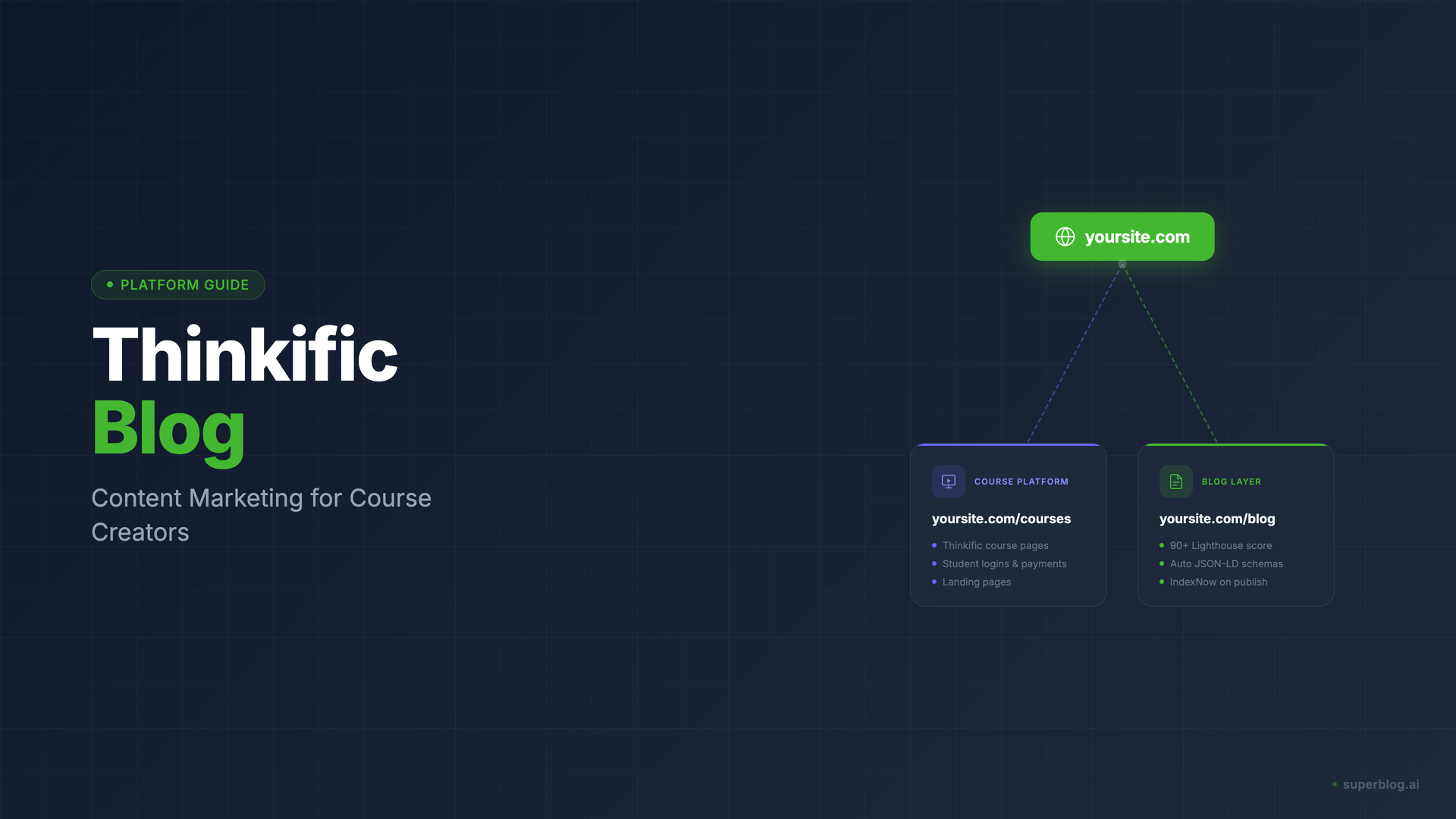
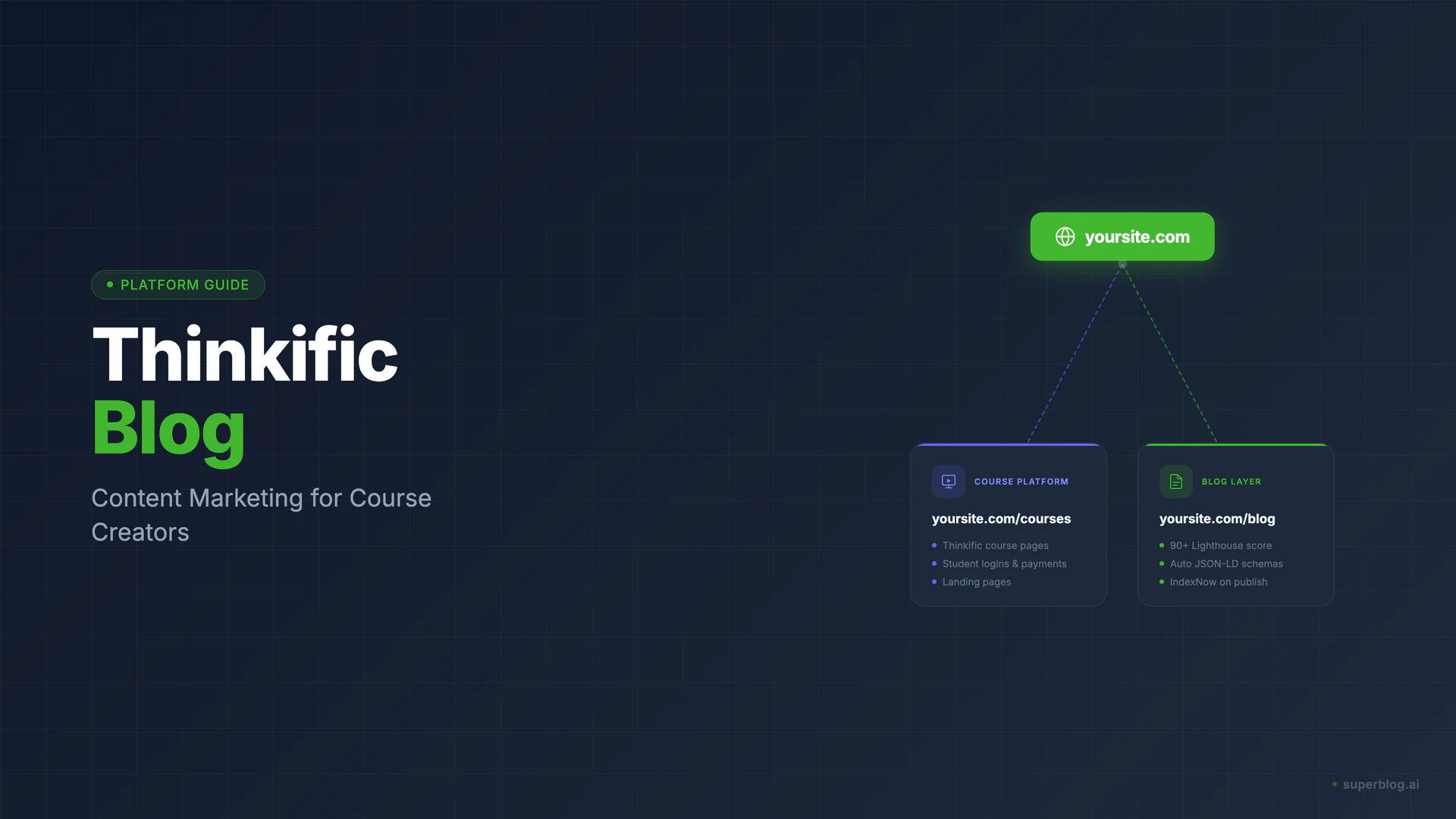
This is called subdirectory hosting. Your Thinkific site continues running at yoursite.com, handling course sales, landing pages, and student logins exactly as before. The blog runs at yoursite.com/blog on a separate platform, inheriting your domain authority rather than splitting it.
Domain authority matters. When your blog lives at yoursite.com/blog, every article you publish contributes link equity back to your main domain. When your blog lives at blog.yoursite.com or a completely separate domain, that equity does not transfer in the same way. For a course creator building organic traffic over time, this distinction compounds significantly.
How Superblog Works as a Thinkific Blog Layer
Superblog is a complete, fully-managed blog platform designed for businesses that need organic traffic. It runs at yoursite.com/blog through subdirectory hosting. Your Thinkific course pages stay exactly where they are.
Here is what that setup looks like in practice.
Setup: no developer required
You create your Superblog site, connect your custom domain, and configure the subdirectory routing. Superblog provides setup documentation for this step. Once routing is configured, your blog is live at yoursite.com/blog with SSL, CDN, and hosting handled.
The blog inherits your domain. Course pages at yoursite.com continue running through Thinkific. Nothing on the Thinkific side changes.
SEO that runs automatically
Superblog generates Article JSON-LD schema on every post automatically. No manual step, no per-post conversion. Organization schema applies across the blog without configuration. An auto-generated XML sitemap updates on every deploy.
When you publish a post, Superblog fires IndexNow automatically, notifying search engines immediately rather than waiting for a scheduled crawl. Superblog also generates an LLMs.txt file at yoursite.com/blog/llms.txt.
Every page runs at 90+ on Lighthouse by default. The platform uses a JAMStack architecture: pre-built static pages served from a global CDN with 200+ edge locations. No server latency, no database round trips.
An editor for non-technical creators
The Superblog editor is TipTap-based with slash commands, markdown support, and keyboard shortcuts. It works like a document editor, not a code environment. Course creators who write well do not need to learn anything technical to publish.
The editor includes internal link suggestions. After drafting a post, you get automated suggestions for related posts you have already published, with anchor text pulled from your own content. For a course creator building a content cluster around a topic, this speeds up the internal linking that powers long-term rankings.
Scheduled publishing lets you build a content calendar and queue posts without manual intervention. The AI Helper on the Super plan generates outlines from a keyword, reducing the gap between "I know what to write about" and a structured draft.
Pricing built for course businesses
Superblog starts at $29/month on the Basic plan, which supports up to 300 posts. The Pro plan at $49/month adds scheduled publishing, privacy-friendly analytics, and collaborative review. Super at $99/month adds the AI Helper, API access, Zapier integration, and multilingual SEO.
There is a 7-day free trial with no credit card required, and you can cancel anytime.
Superblog also supports a blog subdomain (blog.yoursite.com) if subdirectory routing is not feasible with your current domain setup. Both options are covered in the setup documentation, and the Superblog team handles the technical configuration with you.
For full context on how to add a blog to your existing site, the add blog to website guide covers the full setup process. For the SEO case behind subdirectory hosting specifically, see subdomain vs subdirectory. For the role of blog content in organic growth, the blog for SEO guide covers the fundamentals.
Thinkific Native vs Superblog: Side-by-Side
The native option covers basic text publishing. Superblog covers the full SEO infrastructure layer that organic traffic requires.
FAQ
Does Thinkific have a blog?
No. Thinkific does not have a native blogging feature and has no published plans to add one. The closest built-in option is Custom Pages, which lets you publish individual text pages without any blog-specific structure, SEO tooling, or editorial workflow.
How do I add a blog to Thinkific?
The most effective approach is routing yoursite.com/blog to a dedicated blog platform via subdirectory hosting. Your Thinkific course pages stay unchanged. The blog runs as a separate platform at /blog, inheriting your domain authority. Superblog is built for exactly this setup: complete blog infrastructure at yoursite.com/blog with automated SEO, a clean editor, and no technical maintenance required. The blog for Thinkific page covers the setup.
Is Thinkific good for SEO?
Thinkific handles course page SEO adequately. Course landing pages get title tags, meta descriptions, and basic search engine visibility. The gap is content marketing. Without a blog, there is no mechanism to publish the article-format content that drives organic discovery for course topics. SEO for course businesses compounds through blog content targeting the search queries your potential students are already running.
Should course creators blog?
Yes, particularly if organic traffic matters to the business. Course buyers research the problems your course solves before they decide to buy. A blog that ranks for those research queries captures readers at exactly the moment they are open to learning more. Paid channels capture intent that already exists. Blog content creates intent by answering questions before the reader is actively shopping. Over a 12-to-24-month horizon, a well-maintained blog typically becomes one of the most cost-efficient acquisition channels a course creator has.
Your blog, without the maintenance
Fast pages, automatic SEO, no plugins to patch. Runs on yoursite.com/blog.
Sai Krishna is the Founder and CEO of Superblog. Having built multiple products that scaled to tens of millions of users with only SEO and ASO, Sai Krishna is now building a blogging platform to help others grow organically.
superblog
Superblog is a blazing fast blogging platform for beautiful reading and writing experiences. Superblog takes care of SEO audits and site optimizations automatically.