
Square Online Blog: How to Add One That Ranks in 2026

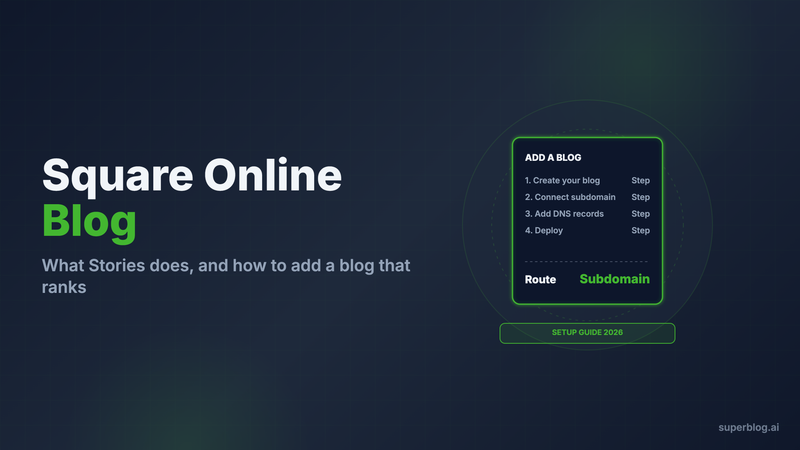
Square Online has a blog feature, and it is called Stories. Every Square Online plan includes it, the free plan too, and it gives each post its own page with SEO and social settings. Square's Stories documentation describes no categories, tags, scheduled publishing or author bylines, and it offers no way to serve a separate blog at yoursite.com/blog, so the outside route is blog.yoursite.com.
This guide covers what Stories does as of November 2026, where it stops, and how to run a dedicated blog on a subdomain while your store stays on Square.
Does Square Online have a blog?
Yes. Square's help article is titled "Create a blog with Square Online," and the feature inside it is Square Stories. In Square's words, "Square Stories pages let you add unique blog content to your Square Online website that can bring in more traffic and keep visitors engaged."
You add a Stories overview page in the site editor under +Add > Page. It lists your stories automatically, newest first. Each story is its own page, styled by a shared Story Header template, and nothing is visible until you publish the site.
Still on Weebly? That is a different product, covered in our Weebly blog guide.
What Stories does well
For a store that publishes a few posts a year, Stories covers the basics.
- It costs nothing extra. Square lists Stories for Free, Plus and Premium subscribers.
- Each story gets its own SEO fields. Open a story, select the gear icon, then Page settings, and you can edit keywords, description and social media appearance. The overview page has the same settings.
- Images take alt text. Square's SEO guide shows how to add alt text to any image in the editor.
- A sitemap is generated for you. Square's Search Console guide says: "A sitemap is created automatically for every website hosted at Square."
- AI writing help exists on paid plans. A Rewrite with AI option drafts headlines, titles and post content. Square notes that "Adding AI-generated content to your website requires a paid Square Online subscription."
- It can display posts from another blog. An RSS feed section pulls posts from a blog hosted elsewhere and shows them on any Square page. This matters later in this guide.
Where Stories stops for a blog that has to rank
The limits below come from what Square's own Stories article documents, and what it leaves out.
- No documented categories or tags. The article describes one overview page sorted by date. It documents no way to group stories by topic, so Square documents no topic hub pages for search engines to rank.
- No documented scheduling. The workflow is: edit, then publish the site. The article documents no publish date or scheduling option for a story.
- No documented author bylines. The article documents no author field. Stories are written in the site editor, and Square's article is addressed to account owners and team members with online permissions, the same access that edits your store's pages.
- Posts are site pages. A story is built from sections in the website editor, and a new story goes live when you publish the website.
- No SEO help from Square. Square's SEO article states it plainly: "Square does not provide SEO consultation."
None of that matters for a shop that posts a recipe each season. It matters once the blog has to bring in customers who have never heard of you.
Can a Square Online blog live at yoursite.com/blog?
Not as an outside blog. Stories publish wherever your Square site publishes, so they are the one way to keep blog content on your main domain.
Square offers no /blog route for an outside blog. Serving a separate blog platform at yoursite.com/blog needs something in front of your site that sends one path somewhere else: a rewrite rule, a reverse proxy, or a Cloudflare Worker with the domain's records set to Proxied. Square Online is a hosted platform, and its help center documents none of these:
- Square's domain article tells you to enter the exact Type, Name and Points to values from its Set up your domain window, and warns: "Without the correct values, you won't have SSL." Proxying the domain sends visitors to the proxy's addresses instead of those values.
- Square's domain and DNS articles do not mention Cloudflare, proxied records or path routing. A proxy setup in front of Square Online is untested, and we do not recommend it for a store that takes payments.
- If your domain is registered with Square, its DNS runs on Square's nameservers. Square warns: "Changing your nameservers causes your website and any email service connected to your domain to go offline, and your DNS records will need to be reconfigured with your new host."
A subdomain works.blog.yoursite.com needs only DNS records, and every DNS host can add them. Square's own DNS editor accepts CNAME records (its Google Workspace guide uses one) and TXT records (its Search Console guide uses one). Your store keeps running on Square with no change. This is the route Superblog supports for Square Online sites.
Search engines treat a subdomain more separately than a subdirectory, and our subdomain vs subdirectory guide explains why. On Square Online the real choice is a dedicated blog on a subdomain or Stories on the main domain.
Your two options at a glance
How Superblog runs your Square Online blog
Superblog is a blogging platform that hosts the blog for you: editor, design, hosting, CDN and SEO in one product. Square keeps your store, checkout and pages.
- Writers get a dedicated editor. They write in a WYSIWYG editor with slash commands and Markdown support, and they never touch your Square site editor. A Writer role creates posts and edits only their own.
- Search plumbing runs itself. Every post gets JSON-LD schema, an FAQ block becomes FAQ schema, the XML sitemap updates on each deploy, and IndexNow is pinged on publish.
- AI assistants can read the blog. Superblog generates
llms.txtand serves each post as plain Markdown at its own URL, alongside the server-rendered HTML page. - Pages are fast without tuning. Static pages are served from 200+ CDN edge locations with automatic WebP images, and every page scores 90+ on Lighthouse.
- Lead forms are built in. Add a signup form below posts, in the sidebar, or as a pop-up, so blog readers can join your list before they reach the shop.
Pricing: Pro is $49/month with up to 1,000 posts, 5 team members, scheduled posts and cookie-free analytics. Super is $99/month with up to 10,000 posts, 10 team members, multilingual SEO and Zapier. Every paid plan includes custom domains, SSL, CDN, schemas, sitemaps and IndexNow. See pricing. There is a 7-day free trial, no credit card required, and a 30-day money-back guarantee.
How to add a blog to Square Online with Superblog
This route assumes you own yoursite.com. To run your Square store on that domain, Square's plans page (November 2026) lists custom domain connect on Plus ($49/month per location) and Premium ($149/month per location), not on Free.
- Create your Superblog site. Sign up at superblog.ai, pick a template, and set your colors and fonts to match your store. You can write and import posts during the 7-day trial.
- Choose a paid plan. Custom domains are not available on a trial site. Pro or Super unlocks them.
- Start the domain connection. In the Superblog dashboard, open Custom Domain, enter
blog.yoursite.com, and click Connect Domain. The dashboard lists the records to add: a CNAME and the TXT records for SSL and ownership checks. - Add the records where your DNS lives.
- Domain registered with Square: in Square Dashboard go to Channels > Domains, choose Manage > Manage domain, and select Add DNS record for each record.
- Domain registered elsewhere: add the records in your registrar's DNS settings.
- Copy each value exactly, including capitalization. Leave TTL at its default. Do not touch the records that point your main domain at Square.
- Check the status. Back in Superblog, click Refresh Status. DNS usually updates in 5 to 30 minutes and can take up to 48 hours.
- Deploy. When the hostname and SSL both show Active, deploy the blog. Superblog issues the SSL certificate automatically. Full steps are in the subdomain docs.
- Link the blog from your Square site. Add a button or text link to
blog.yoursite.comon your Square pages. To show recent posts on your store, add a section to a page (+ > Section), choose RSS feed, select Connect feed, pastehttps://blog.yoursite.com/rss.xml, select Save, then publish your Square site.
What happens to your existing Stories
Square Online is not one of Superblog's direct import sources. Move stories one at a time: copy and paste the content, or save it as a Markdown, HTML or Word file and use Import from file in the post editor. Each import creates a draft with the title taken from the file name, so set the title and slug before publishing.
Plan the old URLs before you remove anything. Square's redirect tool sends an old URL to a page you pick from your Square site, and "Square Online only supports one redirect per page." Its documentation does not describe redirecting a Square page to an outside address. The cleanest path for most stores is to leave stories that already get traffic where they are, link them to the new blog, and publish new posts on Superblog.
When Stories is enough
Stay on Stories if all of these are true:
- You publish a few posts a year, mainly for existing customers.
- One person writes, and that person already edits the Square site.
- Search traffic from the blog is not a goal you track.
- You are on Square's Free plan and do not plan to connect a custom domain.
If the blog is meant to bring in new buyers from Google and AI answers, you need categories, a publishing schedule, more than one writer, and SEO that does not depend on manual work. That is when a dedicated platform pays for itself. For a wider comparison, see our guides to blogging platforms for ecommerce and blogging platforms for small businesses, or the general walkthrough on adding a blog to an existing website.
FAQ
Does Square Online have a blog?
Yes, it is called Stories, and it is included on every Square Online plan.
What are Square Online Stories?
Blog-style pages listed newest first on a Stories overview page, each with its own SEO and social settings.
Can I put an outside blog at yoursite.com/blog on Square Online?
Square documents no path routing or proxy support, and a proxy in front of Square is untested, so use blog.yoursite.com.
Does this work with a domain registered through Square?
Yes. Add the records under Channels > Domains > Manage domain > Add DNS record.
Can I schedule Square Online Stories?
Square's Stories documentation describes no scheduling option.
Will adding Superblog change my Square store?
No. You add DNS records for the subdomain only, and the store stays on Square.
Your blog, without the maintenance
Fast pages, automatic SEO, no plugins to patch. Runs on yoursite.com/blog.
Sai Krishna is the Founder and CEO of Superblog. Having built multiple products that scaled to tens of millions of users with only SEO and ASO, Sai Krishna is now building a blogging platform to help others grow organically.
superblog
Superblog is a blazing fast blogging platform for beautiful reading and writing experiences. Superblog takes care of SEO audits and site optimizations automatically.