
Softr Blog: How to Add One That Ranks in 2026

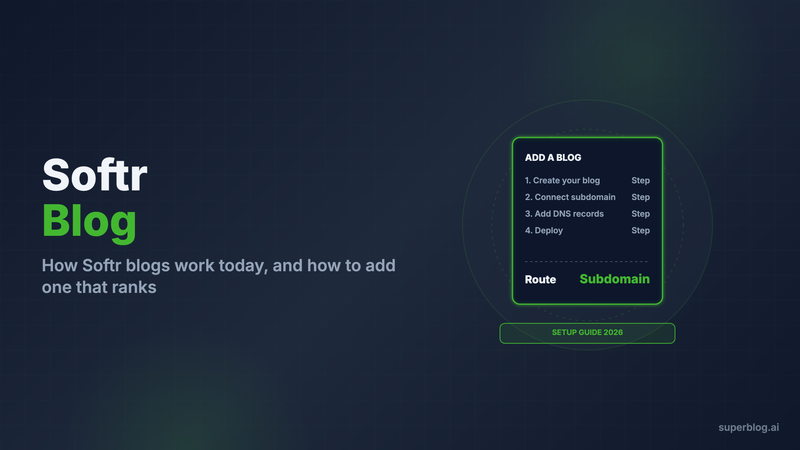
Softr has no built-in blog as of November 2026. Its help center shows two workarounds: one Softr page per post, or a List block plus an Item Details page that reads posts from Airtable, Google Sheets or Softr Databases. If your Softr blog has to rank, run it on a dedicated blog platform such as Superblog at blog.yourapp.com. Softr tells Cloudflare users to keep its DNS records unproxied, so a blog at yourapp.com/blog is not available on a Softr site.
What Softr's help center says about blogs
Softr's guide on the topic opens with this line: "Explore how to create blogs using Softr before a native blog functionality is supported." There is no blog feature to switch on. Softr's two blog guides build one from regular blocks rather than from a dedicated blog template.
The page-per-post build
The first guide tells you to create a page for each article and give it a URL such as /blogs/article1. You write the post with Simple Text and Simple Image blocks, then build a blog home page from a List layout.
This works for three or four posts. Every new post is a new page built in Softr Studio, so it does not scale to a weekly publishing schedule.
The data-source build: a List and an Item Details page
The second guide stores posts in a table. Its Airtable example uses three fields: Title, Body Text (with rich text formatting turned on) and Image. Then you:
- Add a List block to your blog page and connect it to the posts table.
- Add an Item Details block to a second page and connect it to the same table.
- In the List block's Actions tab, set Item On Click to Open page and pick the Item Details page.
- Publish the app.
Each post now opens on its own URL, generated from one shared detail page.
This build has real strengths. Posts sit on your own domain, next to your app. Writers edit rows in a table they may already use. And Softr gives each record its own SEO fields, covered below.
Softr SEO for blog posts: what the docs confirm
Here is what Softr documents for the data-source build, as of November 2026.
Four of these rows matter most for a blog.
The SEO fields are columns you maintain. Softr's checklist explains why: one Item Details page displays every record, so "you can't really specify SEO parameters for each record using page settings." Every post needs its slug, title, description and index flag maintained in the table. A blank SEO:Slug falls back to an automatically generated one.
The record ID stays in every URL. Even with a custom slug, each post lives at an address ending in /r/ plus the record ID. You choose the slug. Softr's docs show no option to drop the record ID.
Schema is your job, and it needs Pro. Softr's page SEO doc says to use the Custom Code area for structured data. Custom code needs Softr Pro, which costs $99 a month billed yearly or $119 monthly. Because all posts share one detail page, per-post Article or FAQ markup means writing code that fills in each post's values.
The sitemap needs a hand past 1,000 posts. Softr builds a sitemap at yourdomain.com/sitemap.xml automatically. Its docs say that above 1,000 indexable entries, the system "can have issues adding them to the sitemap automatically." The fix is to visit /generate-sitemap by hand.
Softr also gives you an editable robots.txt and 301 redirects inside the app, including wildcard rules. Those cover the site-wide basics. The per-post work above is what grows with every article you publish.
When the Softr blog is enough
Keep the native build if one of these describes you:
- You publish a handful of updates a year, such as release notes or announcements, and search traffic is not the goal.
- Your "posts" are really listings, such as products, properties or directory entries. Softr's per-record SEO fields were built for exactly that kind of data.
- The content is for logged-in users only. Softr's user groups and visibility rules can gate it, and gated pages do not need to rank.
If you plan to publish every week and want those posts to bring in signups, read on.
Can a Softr site serve yourapp.com/blog?
No. Serving a blog at /blog on a domain that points to Softr needs something in front of Softr that sends one path to a different server. Softr's docs close each way to do that:
- A server rewrite you control. Softr's custom domain FAQ says: "No, we do not currently offer self-hosting." Your domain points an A record straight at Softr's servers, so there is no server config of your own to edit.
- A Softr setting. Softr's URL Redirects are documented as 301 redirects within your app. A redirect sends the visitor away to a new address. It does not serve another site's pages under your domain.
- A Cloudflare Worker in front of the domain. A Worker only runs on DNS records set to Proxied. Softr's domain FAQ says: "If you are using Cloudflare with Softr, please use DNS Only Records instead of Proxied ones."
So the blog goes on a subdomain. Softr's own docs suggest the same split in the other direction: for someone with an existing website, they say the most common approach is to put the Softr app on a subdomain such as app.website.com. They also confirm the two do not collide: subdomains and top-level domains "are seen as separate sites by the DNS."
Be clear about the tradeoff. Google can treat a subdomain as a separate site, so links your posts earn do less for your Softr pages than they would under /blog. Our subdomain vs subdirectory guide covers when that gap matters. On a Softr site, the subdomain is the route that works.
Run your Softr blog on blog.yourapp.com with Superblog
Superblog is a hosted blogging platform: editor, templates, hosting and SEO engine in one product. Your Softr app stays exactly as it is. The blog runs on its own subdomain, and a menu link joins the two.
Here is what changes compared with the Softr build:
- SEO fields live in the editor, not in table columns. Meta title, meta description, canonical URL and Open Graph tags are set per post next to the content.
- URLs carry the slug and nothing else. A post lives at
blog.yourapp.com/your-post-slug/, with no record ID. - Schema needs no code. Every post gets Article (or BlogPosting), WebPage, Organization and ImageObject JSON-LD, plus FAQ markup when you add an FAQ block. There is no custom code step and no Softr plan upgrade.
- The sitemap needs no manual regeneration. It rebuilds on every deploy, and each new post is sent to Bing and other IndexNow engines when it publishes.
- AI assistants get a readable copy. Each post is server-rendered HTML, with a plain markdown version at its URL plus
.md, and anllms.txtindex that lists them all. - Pages load fast by default. Static pages from a CDN with 200+ edge locations, automatic WebP images, and 90+ Lighthouse scores on every page.
- Writers get a real editor. It has slash commands, FAQ blocks and internal link suggestions drawn from your other posts.
Pro is $49/month, with up to 1,000 posts and 5 team members. Super is $99/month, with up to 10,000 posts, 10 team members, multilingual SEO and spreadsheet import. Every paid plan includes a custom domain, SSL, schemas, sitemaps and IndexNow. See pricing.
Setup steps
- Create your blog. Sign up at superblog.ai. The 7-day free trial needs no credit card. Pick a template and write or import your first posts.
- Choose a paid plan. Custom domains cannot be connected on a trial site, so upgrade before the next step.
- Enter the subdomain. In Superblog's Custom Domain settings, type
blog.yourapp.comand click Connect Domain. - Add the DNS records. Sign in where your domain's DNS is managed and add the CNAME and TXT records the dashboard shows. Use the copy buttons, because TXT values must match exactly. Do not change the records that point your root domain at Softr. If your DNS is on Cloudflare, set the new blog records to DNS only (grey cloud), and leave Softr's records on DNS Only as Softr requires.
- Wait for Active, then deploy. Click Refresh Status in Superblog. When the hostname and SSL both show Active, deploy. DNS changes usually arrive in 5 to 30 minutes. The subdomain docs list each status.
- Link the blog from Softr. In Softr Studio, open your app's navigation settings, select Add, choose External URL, name it "Blog" and enter
https://blog.yourapp.com. Publish the Softr app. - Tell Google. Add the blog subdomain to Google Search Console and submit its sitemap.
Moving posts out of an existing Softr blog
If your posts already sit in Airtable, Google Sheets or Softr Databases, export the table as a CSV. Softr Databases can do this from a Table block with a Download action. Then use Superblog's spreadsheet import, which is on Super and above and takes up to 300 posts per run. Title, content and date are required. Map your SEO:Slug column to the slug field. A row with no slug gets a new one generated, so map it if the posts are already indexed.
For the old Softr URLs, Softr documents its URL Redirects for paths inside your app. Before you rely on them to send an old post to its new address on blog.yourapp.com, test one rule and confirm it returns a 301 to the right page.
Related guides
- How to add a blog to any website
- Adding a blog to a Bubble app
- Lovable SEO and adding a blog to Bolt.new, for AI app builders
FAQ
Does Softr have a blog feature?
No. Softr's help center builds a blog from pages, or from a List block and an Item Details page.
Is there a Softr blog template?
Softr's blog guides start from a List layout and an Item Details page, not from a blog template.
Can I set an SEO title for each Softr blog post?
Yes, with SEO:Title and SEO:Description columns in the data source.
Does Softr add schema markup to blog posts?
Softr's docs say to add structured data yourself through Custom Code, which needs the Pro plan or above.
Can I put a Superblog blog at yourapp.com/blog on a Softr site?
No. Softr requires DNS Only records, so use blog.yourapp.com.
Can I connect blog.yourapp.com during the Superblog trial?
No. Connecting a custom domain needs a paid plan.
Keep building the app in Softr, and give the blog a platform made for ranking. Start your 7-day Superblog trial, no credit card required.
Your blog, without the maintenance
Fast pages, automatic SEO, no plugins to patch. Runs on yoursite.com/blog.
Sai Krishna is the Founder and CEO of Superblog. Having built multiple products that scaled to tens of millions of users with only SEO and ASO, Sai Krishna is now building a blogging platform to help others grow organically.
superblog
Superblog is a blazing fast blogging platform for beautiful reading and writing experiences. Superblog takes care of SEO audits and site optimizations automatically.