
Astro Blog: Content Collections vs a Managed Blog Layer (2026)

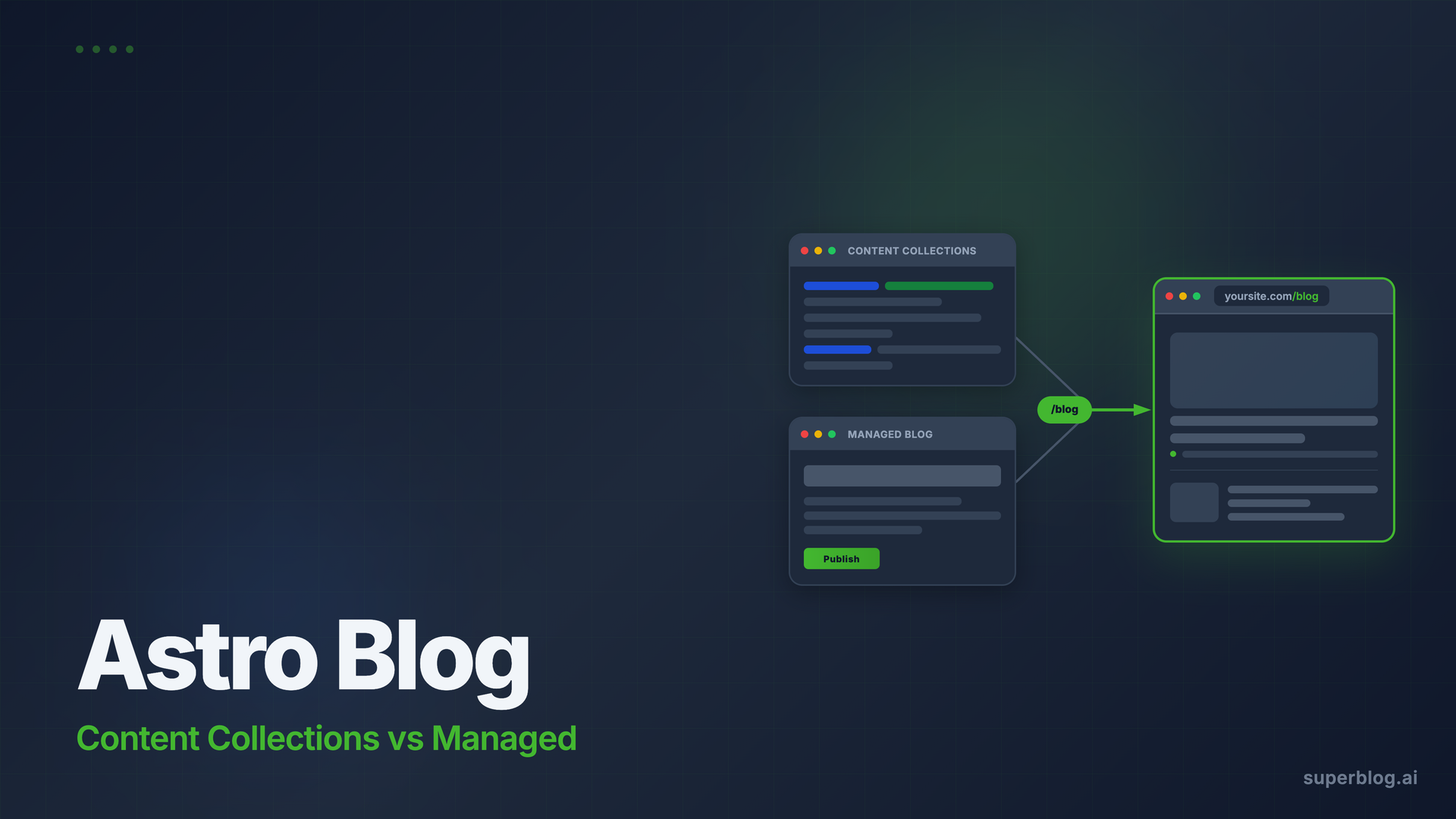
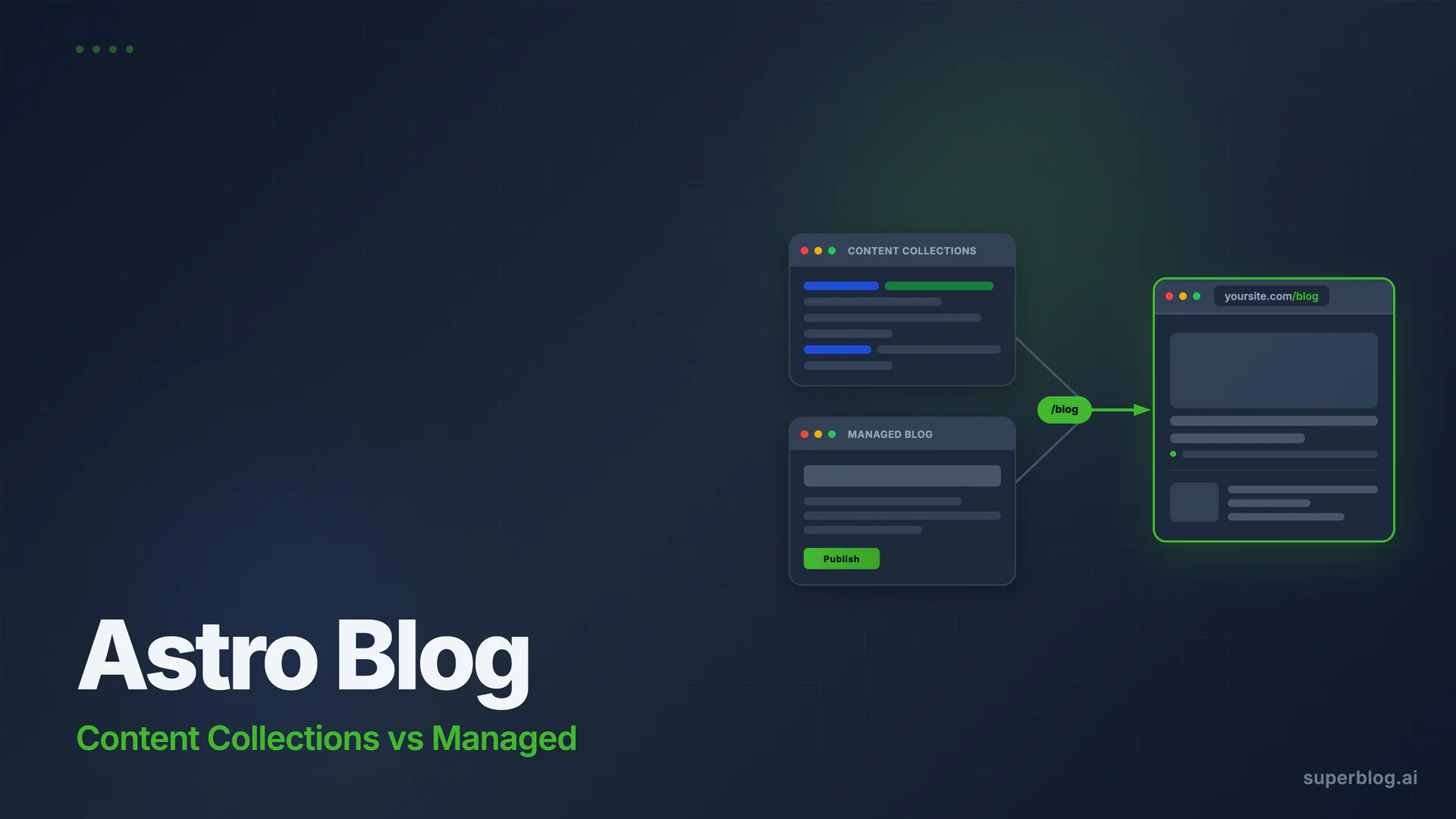
If your marketing site runs on Astro, you have two real options for an Astro blog:
- Astro content collections: markdown files in your repo, fully developer-controlled, deployed with your site.
- A managed blog layer at
/blog: a separate, purpose-built blogging platform mounted via reverse proxy, run independently of your Astro codebase.
Neither is the wrong answer. They solve different problems. The difference is who runs the blog day-to-day and what that costs your engineering team every time a post goes live.
This guide covers both paths honestly: what each one is genuinely good at, where each one breaks down for business teams, and how to set up the reverse proxy option on Netlify, Vercel, and Cloudflare so your blog lives at yoursite.com/blog without touching your Astro codebase.
What Astro content collections actually do well
Astro's content collections API is one of the most thoughtful solutions in modern web development for code-adjacent content. Here is what it actually delivers:
Type-safe frontmatter. You define a schema with Zod and Astro validates every markdown file against it at build time. Typos in frontmatter, missing required fields, wrong data types: all caught before the build finishes. For a documentation site or a dev blog where the author is already inside the codebase, this removes an entire category of publishing errors.
Zero runtime cost. Content collections are processed at build time. The output is static HTML served from a CDN. No database queries, no CMS API calls at request time, no external dependencies on the critical path. For high-traffic technical content, this is hard to beat.
Full developer control. The entire content pipeline (data fetching, layout, rendering, URL structure) is code in your repo. You can do things a hosted CMS would never expose: inject component islands into MDX, pull content from multiple sources into a single collection, generate custom structured data per post type.
Git-native workflow. For developers who already live in GitHub, writing a post as a pull request fits naturally. Peer review, version history, and rollback come for free.
These strengths are real. If your blog is written by engineers for engineers, or if content is tightly coupled to product releases and deploy cycles, content collections are the right tool.
Where content collections break down for business teams
The strengths above all share an assumption: the person publishing content is comfortable in a code repository. For most business blogs, that assumption breaks on day one.
Every post is a git commit and a deploy. Your head of marketing wants to fix a typo in a published post. To do that, they need to open a PR, wait for the build, and merge. Or they ask an engineer to do it. Neither option is acceptable at publishing velocity. Most companies underestimate how much this slows content output: a junior dev pulled into "just a quick fix" three times a week loses hours of focus time per month.
No editor interface for marketers. Content collections use markdown files. There is no WYSIWYG editor, no image uploads, no scheduled publishing, no draft preview without running the dev server locally. You can add a git-based CMS like Decap (formerly Netlify CMS) on top, but now you have added infrastructure to maintain. The moment you add an external CMS, you have crossed into option 2 territory anyway.
No SEO automation. Astro does not automatically generate JSON-LD schemas, submit URLs to IndexNow on publish, create per-language hreflang tags, or produce the LLMs.txt file. You can build all of this, but it is developer hours that could go elsewhere. More importantly, it never gets done consistently: structured data gets added to some post templates and forgotten on others.
Content operations become an engineering bottleneck. At the point where marketing is publishing two or three posts per week, every piece of that pipeline touches your repo. Scheduling, category management, author profiles, internal link suggestions: all of it requires either developer involvement or custom tooling. For dev blogs with one author, this is not a problem. For a growth team running a content program, it kills velocity.
A brief mention before we get into the full comparison: platforms like Superblog are built to solve exactly this problem for Astro sites. They mount at yoursite.com/blog via reverse proxy and run entirely separately from your Astro codebase. More on this below.
The three options side by side
Option 1: Content collections DIY
Best for: developer blogs, documentation, or any site where the authors are engineers who prefer the code-first workflow. Not recommended once marketing takes ownership of the blog.
Option 2: Headless CMS + Astro build
Adding Sanity, Contentful, or Hygraph gives your marketing team a real editor. But your Astro site still rebuilds on every content change. Depending on your build times, a writer publishing a typo fix at noon waits five minutes for the build to complete. You also now maintain the CMS integration, the content model, and any webhooks that trigger deploys. It is more flexible than option 1 but still puts infrastructure between your writers and published words on a page.
Option 3: Managed blog layer
A managed platform like Superblog runs at yoursite.com/blog via reverse proxy, completely independently of your Astro codebase. Your Astro site has no idea the blog exists; it just passes /blog requests to the Superblog CDN. Writers log in to a separate dashboard, publish posts instantly, and engineers never touch the blog pipeline.
Setting up the reverse proxy for Astro sites
This is the configuration that makes yoursite.com/blog point to your managed blog layer, regardless of where your Astro site is hosted. The configuration lives entirely in your host's routing layer; your Astro code does not change.
Netlify
Add a _redirects file in your Astro public/ directory:
/blog/* https://your-blog-name.superblog.click/blog/:splat 200
Or in netlify.toml:
[[redirects]]
  from = "/blog/*"
  to = "https://your-blog-name.superblog.click/blog/:splat"
  status = 200
  force = true
The 200 status code is a proxy rewrite; visitors see yoursite.com/blog in the address bar, not the underlying blog URL.
Vercel
Add a rewrite rule to vercel.json in your project root:
{
  "rewrites": [
    {
      "source": "/blog/:path*",
      "destination": "https://your-blog-name.superblog.click/blog/:path*"
    }
  ]
}
Vercel applies rewrites before the Astro build output is checked, so /blog paths route to the external service transparently.
Cloudflare (Workers or Transform Rules)
If your Astro site sits behind Cloudflare, you can use a Transform Rule or a lightweight Cloudflare Worker:
// Worker for /blog/* proxy
export default {
  async fetch(request) {
    const url = new URL(request.url);
    if (url.pathname.startsWith('/blog')) {
      const target = new URL(url.pathname + url.search, 'https://your-blog-name.superblog.click');
      return fetch(target, request);
    }
    return fetch(request);
  }
}
For all three setups, once the route is live, the blog runs independently. No Astro rebuild required when a post publishes, no codebase changes to add categories, no engineer involvement for day-to-day content operations.
For additional background on subdirectory routing tradeoffs versus running the blog on a subdomain, the subdomain vs subdirectory guide covers the SEO implications in detail.
Superblog: the managed blog layer built for teams
Superblog is a complete, fully-managed blogging platform: CMS, frontend UI, hosting, and SEO engine, all in one product. When you mount it at yoursite.com/blog via the reverse proxy setup above, your Astro site gains a production-grade blog without adding a single line to your codebase.
The editor your marketers will actually use
The TipTap v3 editor works like a document tool: slash commands, inline formatting, image uploads, drag-and-drop blocks. Writers do not need to know what frontmatter is. Publishing is a button. Draft previews are built in. Scheduling is built in. There is no build pipeline between "click publish" and "post is live."
This is the moment where content collections reach their limit for most businesses. The writer cannot fix a typo without a developer. On Superblog, anyone with Editor permissions can fix a typo in under 30 seconds.
SEO that runs without developer configuration
Every post on Superblog automatically gets:
- JSON-LD schemas: Article, FAQ, and Organization, generated from your post data at deploy time. These power rich snippets in Google without any custom code.
- IndexNow submission: When you publish, Superblog sends an authenticated POST request to the IndexNow API, notifying Bing and other supporting search engines immediately. No configuration, no webhook setup; it fires on every publish.
- Auto XML sitemaps: Generated and updated on every deploy. Always current, always submitted.
- LLMs.txt: A machine-readable file at
yoursite.com/blog/llms.txt. This is a genuine differentiator; most blog setups do not generate this file at all.
None of this requires engineering time. It works on day one. For a business that depends on organic search traffic, that is weeks of SEO implementation work that never needs to happen.
For teams evaluating a headless CMS for business blogs, the key question is whether you want to build the frontend and SEO layer yourself or get them pre-built. Superblog skips that choice entirely.
Performance that holds at scale
Superblog runs on JAMStack architecture: pre-built static pages served from a global CDN with 200+ edge locations. Every post renders at 90+ Lighthouse score, automatically. No plugin for caching, no image optimization setup, no performance regression when you add a new template section.
First Contentful Paint under 1 second. Images automatically converted to WebP. This matters directly for rankings: Google's Core Web Vitals are a confirmed ranking factor and a fast blog at yoursite.com/blog lifts the domain's overall performance signals.
Team permissions and publishing workflow
Superblog handles multi-author publishing without any custom role management in your codebase. Admins, Editors, and Writers each see different levels of access. The Pro plan supports up to 5 team members; Super supports up to 10.
Collaborative review is available on Pro and above: team members can review and approve posts before they go live. For a growth team running a content calendar, this replaces whatever Notion-based approval workflow you have bolted on top of your current setup.
Internal link suggestions
As you write, Superblog analyzes your post content and finds related published posts, matching on categories, tags, and keyword overlap, then suggests anchor text phrases and lets you insert links in one click. For teams running a content cluster strategy, this is not a nice-to-have: internal linking is how cluster authority flows from supporting posts to pillar pages, and doing it manually at scale is slow.
For a broader look at how to connect a managed blog to an existing site and pass equity to your main domain, the add a blog to your website guide and blog API integration guide are worth reading alongside this one.
Pricing
All plans include auto SEO, CDN, SSL, subdirectory hosting, and custom domain support. The REST API is available on Super, which means you can also programmatically integrate your blog content into other parts of your product if needed. No credit card is required for the 7-day trial, and you can cancel anytime.
If your Astro site hosts on an S3-based infrastructure, the approach is essentially the same: the proxy rules live in CloudFront or your CDN layer. The blog for S3 static site use case covers that specific setup.
FAQ
Does Astro have a CMS?
Astro does not include a built-in CMS in the traditional sense. It has content collections, which are a developer-facing API for loading and validating structured markdown and MDX files at build time. For a visual editing interface, you need an Astro CMS layer: either a git-based tool (Decap, Keystatic) or an external headless CMS (Sanity, Contentful). The Astro docs maintain an official guide to CMS integrations at docs.astro.build/en/guides/cms/.
How do I add a blog to my Astro site?
You have three paths. For developer-authored content, create a content collection in src/content/blog/, define a schema, and generate pages with a [slug].astro dynamic route. For a team that needs a visual editor, connect a headless CMS and trigger Astro rebuilds via webhook. For a blog that non-developers can run without touching the codebase, mount a managed platform like Superblog at yoursite.com/blog using the reverse proxy rules for your host (Netlify, Vercel, or Cloudflare).
Astro CMS vs content collections: which should I use?
Use content collections if your authors are developers comfortable in a code repo, your content changes infrequently, or your blog is tightly integrated with your product (release notes, changelogs, developer docs). Use a CMS when marketing owns the blog and publishes more than once a week. The rule of thumb: if a non-developer needs to fix a typo and cannot do it themselves, your current setup is wrong for your team.
Can non-developers edit an Astro blog?
Not without additional tooling. Astro's built-in content collections require editing markdown files in a code repository and triggering a new build to publish. To give marketers a visual editor, you need to add a git-based CMS layer or connect an external headless CMS. Alternatively, a managed blog layer like Superblog runs at /blog independently from your Astro site and gives non-developers a full editor with no code involvement.
What is the difference between a headless CMS and a managed blog platform for Astro?
A headless CMS (Contentful, Sanity, Hygraph) gives you a content API and an editing interface, but you still write your own frontend and handle SEO, schemas, sitemaps, and image optimization yourself. A managed blog platform like Superblog provides the CMS, the frontend UI, the hosting, and the SEO layer as a single product. For teams that want to rank in search without building a custom content pipeline on top of Astro, the managed layer is a faster path.
Does using a reverse proxy for /blog hurt SEO?
No. When configured correctly as a proxy rewrite (not a redirect), the blog content serves directly from yoursite.com/blog. Search engines see a unified domain, canonical URLs point to yoursite.com/blog/*, and domain authority from your main site applies to the blog. This is the subdirectory hosting model, which Google explicitly recommends for keeping blog authority on the main domain. The subdomain vs subdirectory guide explains the SEO distinction in detail.
The decision in one sentence
If your Astro blog is written by developers for developers, content collections are the right architecture. If marketing owns the blog and needs to publish independently without an engineer in the loop, mount a managed blog layer at /blog via reverse proxy, and spend your engineering time on the product instead.
Start a free trial at write.superblog.ai. No credit card required.
Your blog, without the maintenance
Fast pages, automatic SEO, no plugins to patch. Runs on yoursite.com/blog.
Sai Krishna is the Founder and CEO of Superblog. Having built multiple products that scaled to tens of millions of users with only SEO and ASO, Sai Krishna is now building a blogging platform to help others grow organically.
superblog
Superblog is a blazing fast blogging platform for beautiful reading and writing experiences. Superblog takes care of SEO audits and site optimizations automatically.